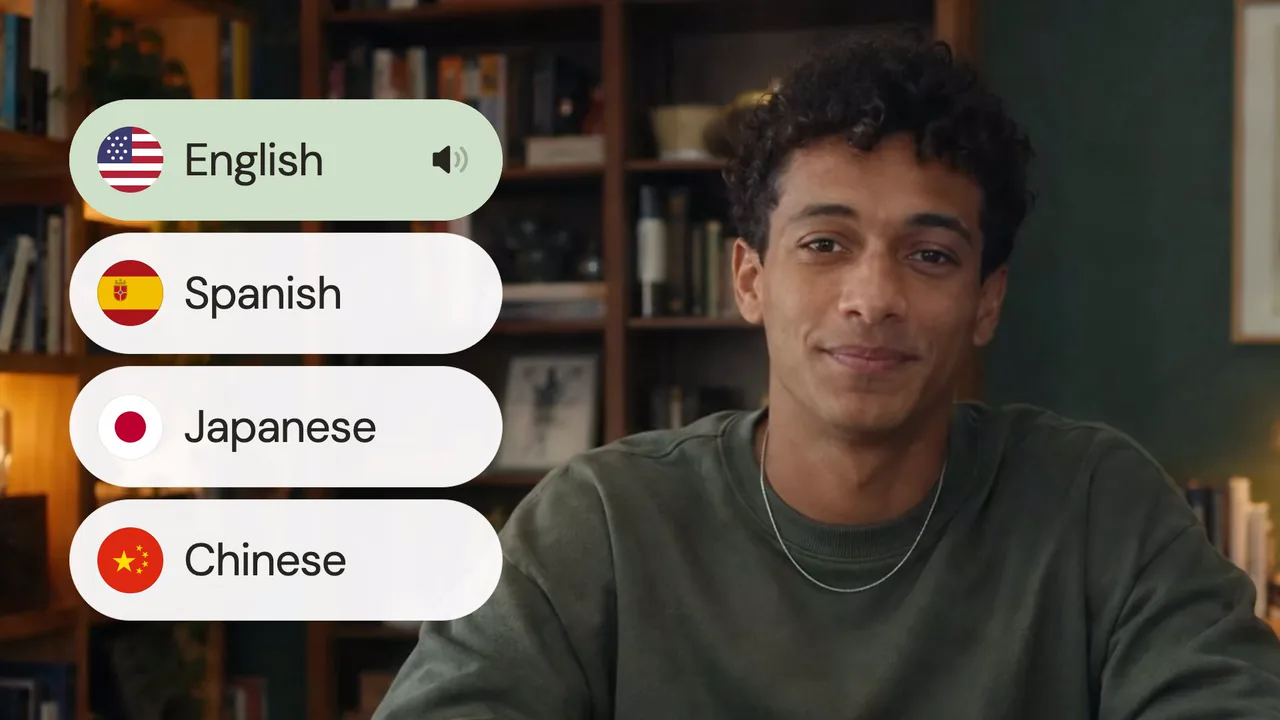
Your voice, in another language
The dub matches the original speaker's voice, so a translated tutorial still sounds like you.
Upload a video, pick a language, and ChatCut dubs it in the speaker's own voice, with lip sync and captions if you want them.
Pro Skill. Billed on the source video's length; you see the credit estimate in ChatCut before anything runs. How it works





Trusted by 400,000+ creators
Subtitles ask viewers to read. A dub lets them watch, and ChatCut keeps the voice and the picture yours.
The dub matches the original speaker's voice, so a translated tutorial still sounds like you.
Ask for synchronized mouths on a talking head, or keep the picture untouched and replace the audio only.
ChatCut shows the transcript it heard. Fix names and terms first; the confirmed text drives the dub.
The translation lands in My Assets as its own video, with translated captions if you ask for them.
Three steps from the file on your desk to a dubbed copy in My Assets.
Drop an MP4, MOV or WebM with speech into the form above and choose one of 25 target languages.
Sign in to ChatCut. The agent transcribes your video, lets you correct it, then shows the credit estimate.
Review the dub, captions and lip sync, then place it on your timeline or export it.
Choose one target language per run. ChatCut transcribes the source first, so you don't need to name its language.
With the ChatCut plugin, your agent runs the same Video Translation Skill on your ChatCut account and credits.
In ChatGPT
“Translate this video into Spanish and keep my voice.”
Get the ChatGPT pluginIn Claude
“Dub @product-tour into Japanese with lip sync and captions.”
Get the Claude pluginAlso on Codex, Grok and Antigravity. See all plugins.
Unlock member features, models, and export allowances. Get more credits every month
No credit card required
Free starter allowance
Try for free$252 · Billed annually
100 credits / month
Get started$456 · Billed annually
200 credits / month
Get started$1692 · Billed annually
800 credits / month
Get startedUpload the video in the form at the top of this page and choose a target language. ChatCut opens with your video, transcribes the speech, asks you to confirm the script, shows a credit estimate, and then generates a dubbed copy in the new language.
The form offers 25 target languages, including English, Spanish, French, German, Portuguese, Chinese, Japanese, Korean, Hindi and Arabic. Pick one language per run; run it again for another language.
Yes. Video Translation matches the original speaker's voice in the target language. Listen to the result before you publish, especially for names, brand terms and videos with more than one speaker.
Yes, when you ask for it. Lip sync re-renders the picture so mouths follow the translated speech. If the picture must stay exactly as shot, choose audio-only translation instead.
Video Translation is a Pro Skill and uses credits. It is billed on the full length of the source video, and ChatCut shows the estimate before anything is generated, so trim the part you need first. Transcription and caption editing do not use credits.
One MP4, MOV or WebM video per run, at least 2 seconds long and with a speech track. Videos longer than 5 hours need to be split first.
Yes. Video Translation replaces the spoken audio with a dub. If you only need translated subtitles, use captions in ChatCut: transcribe the video and translate the captions without dubbing.
Yes. With the ChatCut plugin installed, ask your agent to translate a video and it runs the same Video Translation Skill on your ChatCut account. Credits come from the same balance as the web app and ChatCut Desktop.
Related: Video Translation guide · Lip Sync · Subtitle generator · All Skills

 Codex
 Claude
 WorkBuddy